Professional Gradient Color Palette Generator

HEX

Generated Gradient

°

Color Steps

Professional Gradient Color Palette Studio

I. Introduction: What is this tool?

This powerful tool is your all-in-one solution for creating, exploring, and exporting stunning gradient color palettes. Whether you're a seasoned web designer, a UI/UX specialist, a graphic artist, or simply someone who appreciates beautiful and harmonious colors, this tool simplifies the complex process of generating and implementing gradients. It goes far beyond basic gradient makers by offering advanced color harmony features, insightful image color extraction, and precise control over every aspect of your gradient. It's a professional-grade CSS gradient generator meticulously designed for both efficiency and creative exploration. We focus heavily on producing highly optimized background color gradient css that you can directly and seamlessly integrate into your web projects.
II. How to Use (Step-by-Step Guide)

  1. Choose Your Base Color:

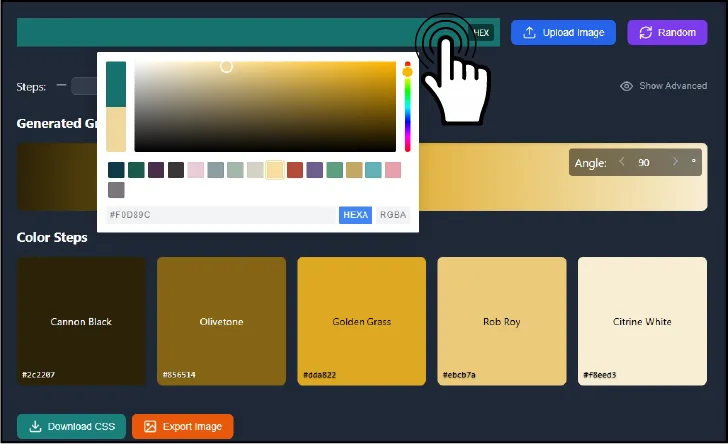
    Interactive Color Picker for Selecting a Base Color
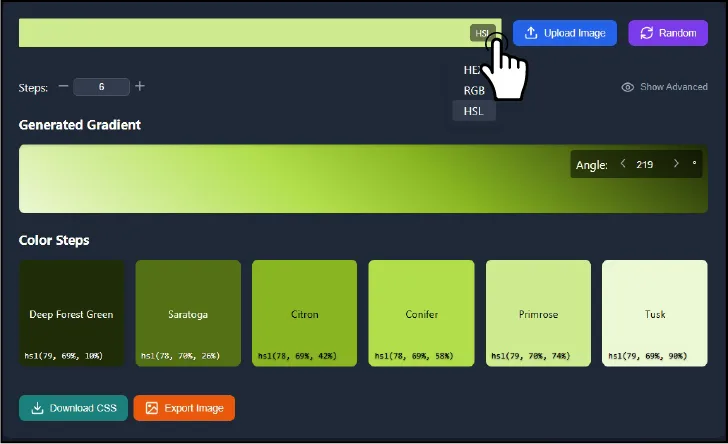
    • Color Picker: Use the integrated, interactive color picker to visually select your starting color. It supports a wide range of color formats, including HEX, RGB, and HSL.
    • Upload Image: Click the intuitive "Upload Image" button and select an image from your device. The tool intelligently extracts the dominant colors, providing you with a rich palette to use as a foundation for your gradient.
    • Random Color: Feeling adventurous? Click the "Random" button to instantly generate a random starting color, sparking inspiration and potentially leading to unexpected and beautiful results.
  2. Adjust the Gradient Steps:

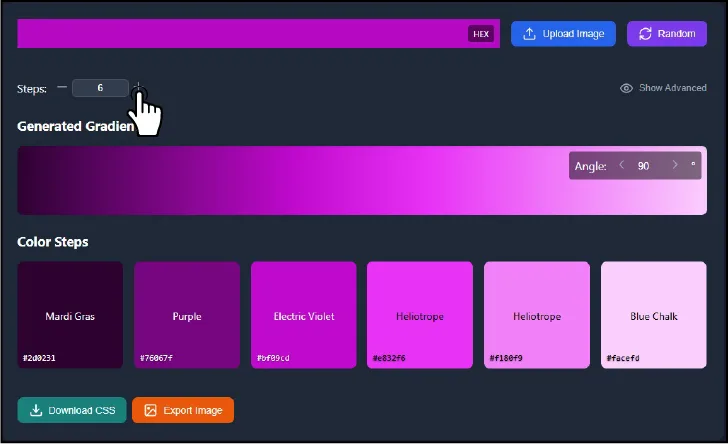
    Gradient Steps Control with Plus and Minus Buttons
    • Steps Control: Use the "+" and "-" buttons to precisely define the number of color steps within your gradient (ranging from 2 to 10). More steps create a smoother, more gradual transition, while fewer steps result in a more distinct color banding effect. This fine-grained control is key for achieving the perfect linear gradient color blend.
  3. Fine-Tune the Angle (Optional):

    Gradient Angle Adjustment Input Field
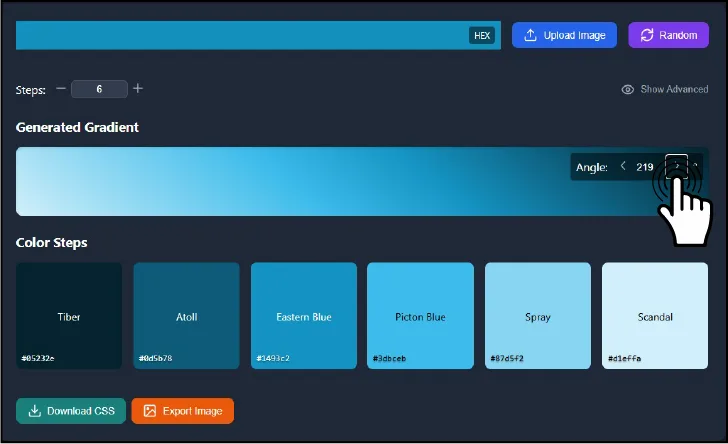
    • Angle Input: Enter the desired angle (in degrees) for your gradient linear css. You can use the "+" and "-" buttons for precise, 10-degree adjustments. This controls the direction of the gradient flow, allowing for diagonal, horizontal, vertical, and any angle in between.
  4. Explore Color Harmonies (Advanced):

    Color Harmony Selection Options (Complementary, Analogous, Triadic, etc.)
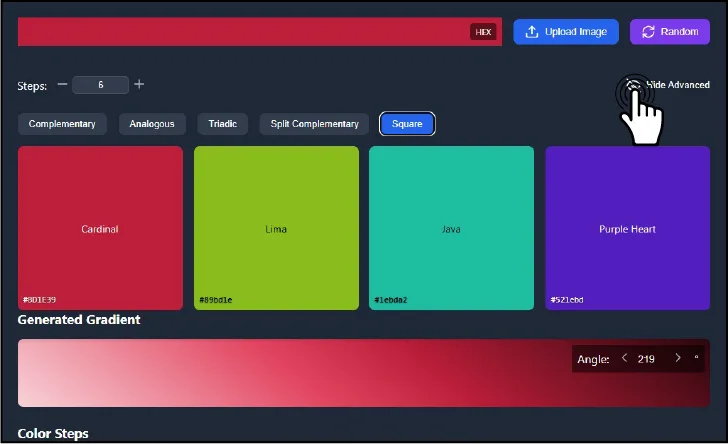
    • Show Advanced: Click the "Show Advanced" button to reveal a powerful suite of color harmony options.
    • Harmony Selection: Choose from a carefully curated selection of color harmony algorithms:
      • Complementary: Generates the direct opposite color on the color wheel, creating a high-contrast and vibrant effect.
      • Analogous: Creates a harmonious and pleasing palette of colors that are adjacent to your base color on the color wheel.
      • Triadic: Selects colors that are evenly spaced around the color wheel, providing a balanced and visually appealing combination.
      • Split Complementary: Uses the base color along with the two colors adjacent to its complement, offering a less intense contrast than a full complementary scheme.
      • Square: Four colors evenly spaced on the color wheel, creating a bold and dynamic palette.
    • These sophisticated options empower you to create css gradient schemes that are not only beautiful but also visually balanced and harmonious, adhering to fundamental principles of color theory.
  5. Color Format

    Color Format Selection (HEX, RGB, HSL)
    • Click on HEX to change to RGB, HSL, or stay with HEX, to display colors in the selected format, ensuring consistency and ease of use across different design tools and platforms.
  6. Preview and Refine:

    Real-time Gradient Preview and Color Step Display
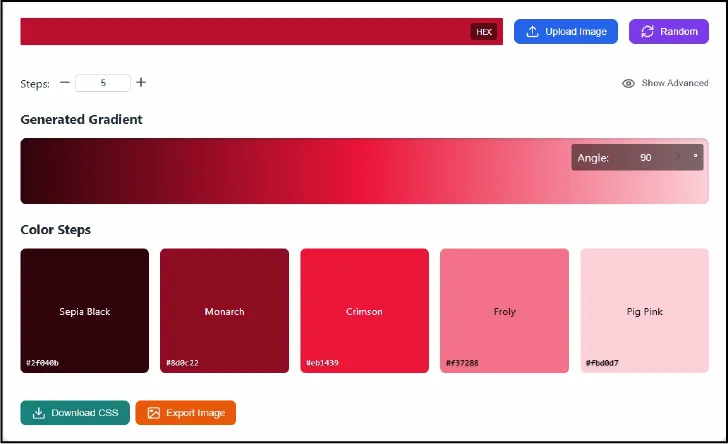
    • Gradient Preview: A large, prominent preview area dynamically displays your gradient in real-time as you make adjustments. This provides immediate visual feedback, allowing you to see exactly what your css gradient background will look like.
    • Color Steps: Directly below the preview, you'll find individual color boxes representing each distinct step in your gradient. Click on any box to instantly copy its color code (in your chosen format: HEX, RGB, or HSL). The corresponding color name is also conveniently displayed for easy reference and communication.
  7. Export Your Gradient:

    Export Options: Download CSS and Export Image with Size and Format Selection
    • Download CSS: Click the "Download CSS" button to generate a ready-to-use CSS code snippet, meticulously crafted for seamless integration into your web projects. This code includes:
      • CSS custom properties (variables) for each individual color in the gradient, promoting code reusability and maintainability.
      • A pre-defined .gradient class with the linear-gradient() function, expertly configured with your chosen colors and angle. This is the core of the css gradient, ready to be applied to any element on your webpage.
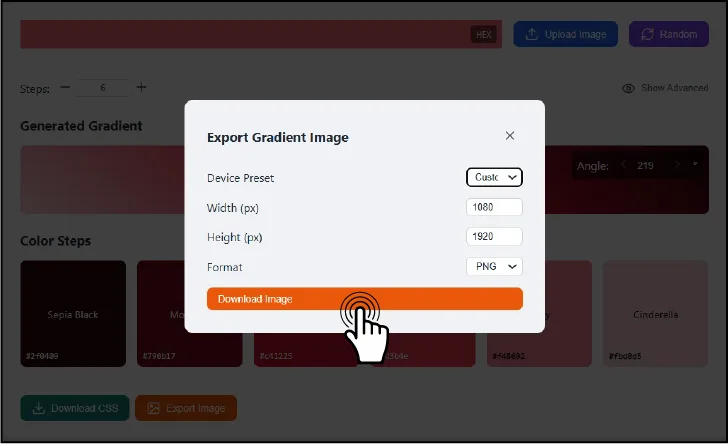
    • Export Image: Click the "Export Image" button to open a modal dialog with a comprehensive set of image export options:
      • Device Preset: Choose from a range of convenient preset resolutions (Phone, Tablet, Desktop, Desktop 4K) optimized for various devices, or select "Custom" to enter your own specific dimensions.
      • Width & Height: Specify the exact dimensions (in pixels) for your gradient image, allowing for pixel-perfect control.
      • Format: Select your desired image format: PNG (lossless, ideal for graphics with sharp lines and text), JPEG (compressed, suitable for photographs), or WebP (a modern, highly efficient format offering excellent compression and quality).
      • Download Image: Generates and downloads the gradient as a high-quality image file. This is perfect for creating stunning wallpapers, unique UI elements, or any other graphical assets you need.

III. Key Features & Benefits

IV. Popular Color Gradients

Explore a curated collection of pre-designed gradients, ready for immediate use.

Clicking on any of these gradient previews will instantly apply it to the main tool, automatically updating the color picker, steps, and angle settings. You can then further customize the chosen gradient.

V. Why Use This Gradient Tool?

VI. Frequently Asked Questions (FAQs)

What is a CSS gradient?

A CSS gradient is a powerful visual effect that creates a smooth, gradual transition between two or more colors. It's a fundamental technique for adding depth, dimension, and visual interest to your web designs. Gradients are defined using CSS functions such as linear-gradient() and radial-gradient(). Our tool specializes in crafting linear gradients.

How do I create a gradient in CSS?

You can manually write CSS code using the linear-gradient() function, meticulously specifying the angle, colors, and color stops. However, this can be a time-consuming and error-prone process. Our tool dramatically simplifies this by automatically generating the correct and optimized CSS code based on your visual selections.

What is color harmony?

Color harmony refers to the aesthetically pleasing and visually balanced effect created by combining certain colors in a specific way. Using harmonious color combinations can significantly enhance the appeal and effectiveness of your designs. Our tool provides several built-in harmony algorithms (complementary, analogous, triadic, etc.) to assist you in creating balanced and visually cohesive gradients.

How can I extract colors from an image?

Our tool's intuitive "Upload Image" feature automatically and intelligently extracts the dominant colors from any image you upload. This provides an excellent and contextually relevant starting point for creating gradients inspired by photographs, logos, or other visual elements.

Can I use this tool to create mobile backgrounds?

Absolutely! The "Export Image" feature allows you to create gradient images in a wide range of resolutions, including convenient presets specifically optimized for mobile devices (phones and tablets). You can effortlessly create custom wallpapers, unique UI elements, or any other graphical assets tailored for mobile screens.

What's the difference between linear and radial gradients?

linear-gradient transitions colors along a straight line (defined by an angle), creating a directional flow. This tool specializes in crafting and refining linear gradients. Radial gradients, on the other hand, transition colors outwards from a central point.

What are color stops in a CSS gradient?

The "steps" feature in our tool directly corresponds to color stops in CSS gradient terminology. Color stops define the specific positions and colors within the gradient transition.

How do I make a smooth gradient?

Increase the "steps" value to create a smoother, more gradual transition between colors. A higher number of steps results in a less noticeable banding effect.

How do I add a gradient to a background in CSS?

Simply use the meticulously crafted CSS code generated by the "Download CSS" button. This code is ready to be copied and pasted directly into your website's stylesheet, instantly applying the gradient to your desired element.

What color formats does the tool support?

The tool seamlessly supports HEX, RGB, and HSL color formats, providing maximum flexibility and compatibility with various design workflows and tools.

VII. Conclusion

The Professional Gradient Color Palette Studio is a comprehensive, user-friendly, and incredibly powerful tool designed to empower both seasoned designers and aspiring creatives. It streamlines the gradient creation process, allowing you to effortlessly craft stunning color transitions and elevate your designs. Unleash your creativity and explore the boundless possibilities of color – try it out today!

Popular Color Gradient