
Random Color Palette Generator

Dominant Colors from Image:

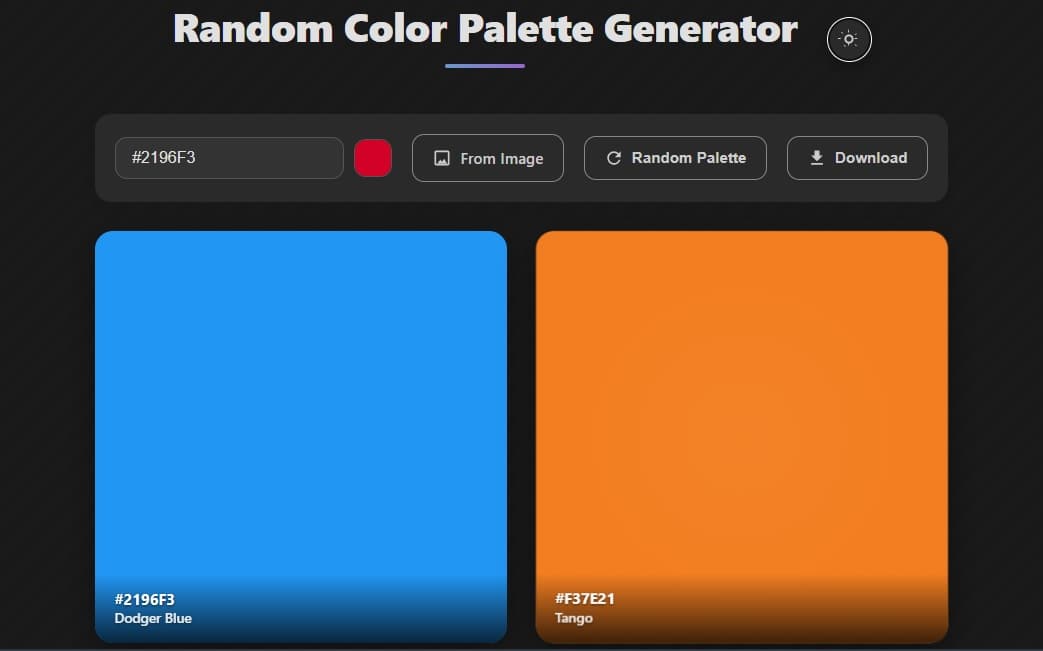
Example of a colorful palette generated by the Random Color Palette Generator

What is the Random Color Palette Generator?

The Random Color Palette Generator is a versatile online tool designed to help designers, artists, and developers easily create and explore color combinations. It allows you to generate harmonious color palettes instantly, whether you start with a specific color (via hex code or picker), get inspiration from a random selection, or extract key colors from an image. Build, refine, and use beautiful color schemes for any project.

How to Use This Palette Generator

Using the tool is simple and intuitive. Here’s a quick guide:

  1. Choose Your Input Method: You have several ways to start generating your palette:
    • Input a Hex Color: Type a specific Hex color code (e.g., #1A4D2E) into the text field. The palette will update based on this color.
    • Use the Color Picker: Click the color swatch next to the input field to open a visual color picker and select your base color.
    • Generate Random: Click the " Random Palette" button to generate a new palette based on a completely random starting color. This is great for discovering new combinations!
    • Generate from Image: Click the " From Image" button and select an image file. The tool will extract dominant colors from the image and display them as clickable swatches below the controls. Click any swatch to make it your base color.
  2. Select a Color Scheme: Once you have a base color, choose a color harmony rule (Complementary, Analogous, Triadic, etc.) from the options provided below the palette display. The generated palette will instantly update according to the selected scheme, showing you harmonious colors derived from your base color.
  3. Copy Colors: The generated palette displays multiple color boxes. Each box shows the color visually and its Hex code. Click anywhere on a color box to copy its Hex code to your clipboard for easy use in your design software or code.
  4. Download Your Palette: To save the generated palette for future reference, click the " Download" button. A PNG image file containing the palette will be generated and downloaded to your device.

Key Features of the Random Color Palette Generator

Understanding Color Harmony Schemes

Color schemes are principles used to combine colors in a way that is pleasing and harmonious. This tool uses common theories:

Complementary:
Consists of two colors directly opposite each other on the color wheel, providing strong contrast.
Split Complementary:
Uses a base color and the two colors adjacent to its complement. It offers high contrast but feels less confrontational than a direct complementary scheme.
Analogous:
Uses colors that are next to each other on the color wheel. These schemes are typically calm and comfortable.
Triadic:
Uses three colors equally spaced around the color wheel, creating vibrant and balanced palettes.
Tetradic (Rectangular):
Composed of four colors arranged into two complementary pairs. This scheme is rich in color but can be challenging to balance effectively.
Monochromatic:
Derives from variations of a single base color (shades, tints, tones). This tool provides the base color and a key variation (either a distinct brighter or darker version) to give a simple, harmonious monochromatic pair.

Frequently Asked Questions (FAQ)

What is a color palette generator?
A color palette generator is a tool that helps users discover, create, and organize color combinations for various design and artistic purposes.
How does the Random Color Palette Generator work?
You can start with a random color, input a specific color, or upload an image. Based on your input and the chosen color harmony rule (like complementary or analogous), the generator calculates and displays a set of colors that are mathematically related and visually harmonious.
Can I generate a color palette from an image using this tool?
Yes, absolutely! Click the "From Image" button to upload your image. The tool will analyze it and present dominant colors for you to choose as your base color.
How can I get a random palette?
Simply click the "Random Palette" button. The tool will select a random color as the base and generate a palette based on the currently selected color scheme.
How do I copy the Hex codes?
Click on any of the color boxes displayed in the generated palette. The Hex code for that color will be automatically copied to your clipboard.
What image formats are supported for color extraction?
Common web image formats like JPG, PNG, and GIF are generally supported. If you encounter issues with a specific image, try converting it to a standard format.
Is this Random Color Palette Generator free?
Yes, it is a free online tool.
Can I save the palettes I create?
While the tool doesn't offer account-based saving, you can easily save your palettes by using the "Download" button to get a PNG image of the palette, or by copying the individual Hex codes.